Sample Data-Articles
- Кол-во материалов:
- 18
Joomla!
- Кол-во материалов:
- 0
Extensions
The Joomla! content management system lets you create webpages of various types using extensions. There are 5 basic types of extensions: components, modules, templates, languages, and plugins. Your website includes the extensions you need to create a basic website in English, but thousands of additional extensions of all types are available. The Joomla! Extensions Directory is the largest directory of Joomla extensions.
- Кол-во материалов:
- 0
Modules
 Modules are small blocks of content that can be displayed in positions on a web page. The menus on this site are displayed in modules. The core of Joomla! includes 24 separate modules ranging from login to search to random images. Each module has a name that starts mod_ but when it displays it has a title. In the descriptions in this section, the titles are the same as the names.
- Кол-во материалов:
- 0
 Templates give your site its look and feel. They determine layout, colours, typefaces, graphics and other aspects of design that make your site unique. Your installation of Joomla comes prepackaged with three front end templates and two backend templates.
 Park Site
- Кол-во материалов:
- 1
Park Blog
Here is where I will blog all about the parks of Australia.
You can make a blog on your website by creating a category to write your blog posts in (this one is called Park Blog). Each blog post will be an article in that category. If you make a category blog menu link with 1 column it will look like this page, if you display the category description then this part is displayed.
To enhance your blog you may want to add extensions for comments, interacting with social network sites, tagging, and keeping in contact with your readers. You can also enable the syndication that is included in Joomla (in the Integration Options set Show Feed Link to Show and make sure to display the syndication module on the page).
- Кол-во материалов:
- 2
Photo Gallery
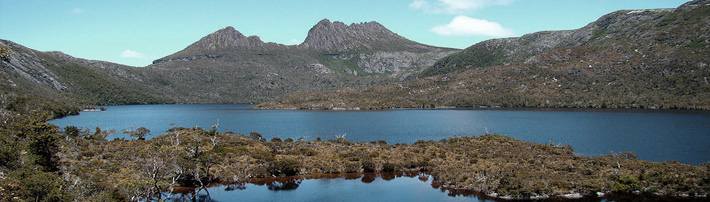
These are my photos from parks I have visited (I didn't take them, they are all from Wikimedia Commons).
This shows you how to make a simple image gallery using articles in com_content.
In each article put a thumbnail image before a "readmore" and the full size image after it. Set the article to Show Intro Text: Hide.
- Кол-во материалов:
- 0
Animals
- Кол-во материалов:
- 1
Scenery
- Кол-во материалов:
- 2
Fruit Shop Site
- Кол-во материалов:
- 2
Uncategorised
- Кол-во материалов:
- 1
portfolio
- Кол-во материалов:
- 4